Kubik

Windows that arrange themselves on KDE Plasma

Kubik is automatic tiling for Plasma 6, in the style of Pop!_Shell. Open a window and it finds its place. Drag, stack into tabs or use the keyboard. Everything else in Plasma stays the same.

AppImage · x86_64 · Plasma 6 · Wayland and X11
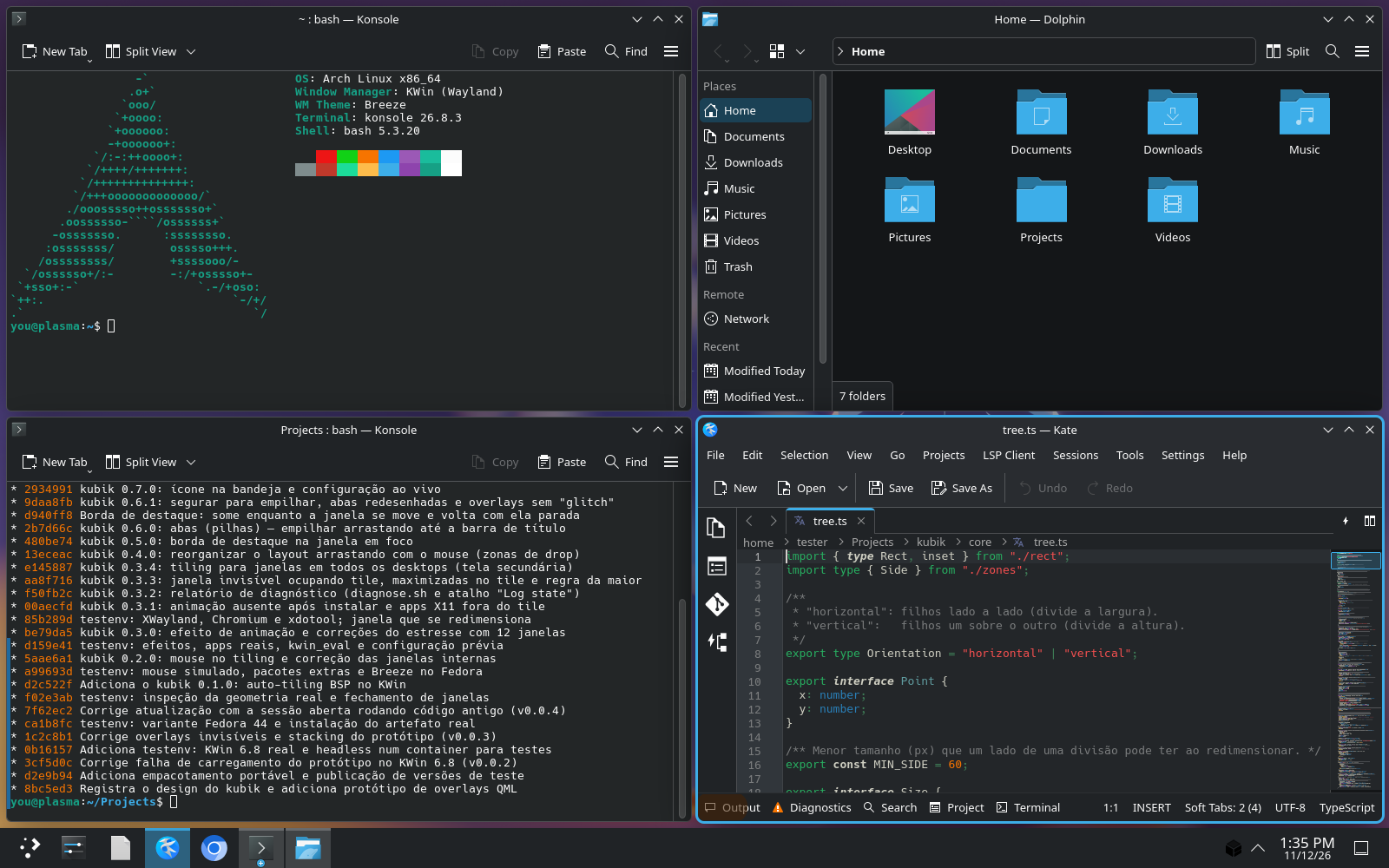
Konsole, Dolphin, Kate and htop tiled on a KDE Plasma desktop by Kubik

Tiling without the setup

No config files and no new habits. It works with the mouse, the keyboard, or both, and you can turn it off with Meta+Y.

Every new window finds its place

Each window splits the largest one on the screen. One fills the screen, two sit side by side, four become quarters. Nothing overlaps, and the gaps stay even.

  • One layout per screen and per virtual desktop
  • Respects panels and each app's minimum size
  • Dialogs and exceptions float on top
Windows opening and splitting the screen automatically

Rearrange with the mouse

Drag a window by its title bar and a preview shows where it will land.

  • Drop it on the center of another window to swap them
  • Drop it near an edge to split right there
  • Drag the border between two windows to resize both
Dragging a window to swap and to split

Tabs when space is tight

Hold a window still over another for a moment and they become a stack, with a tab bar showing the app icons. Click a tab or press Meta+Ctrl+Tab.

Stacking two windows into tabs

Or never touch the mouse

Meta + ←↑↓→focus the neighbor
Meta+Shift + ←↑↓→move or swap, even to another screen
Meta+Alt + ←↑↓→resize
Meta+Orotate the split
Meta+Mmonocle: one window at a time
Meta+Ffloat the window
Meta+Yturn tiling on or off
Keyboard shortcuts moving, resizing and maximizing windows

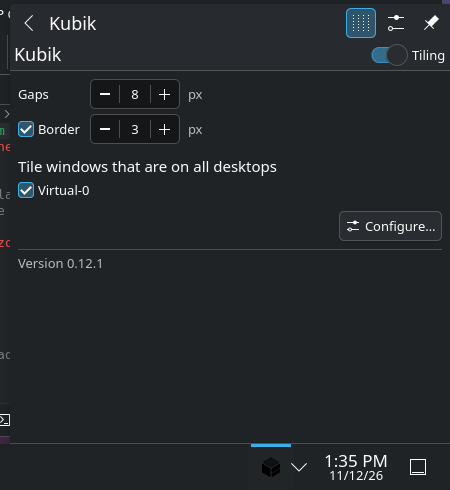
Settings in the tray

The Kubik icon in the system tray turns tiling on and off and has all the options. Changes apply right away.

  • Gaps, highlight border, animation speed and curve
  • Apps that should always float
  • Tiling on or off per screen
Kubik settings in the system tray

Small details

It's a KWin script plus an animation effect, so it runs inside Plasma's own window manager.

Highlight border

The focused window gets a border in your accent color.

Smooth animations

Windows glide to their new places. You choose the duration and curve, or turn animations off.

Multiple screens

Each screen has its own layout. Move windows between screens with the keyboard.

Light on memory

About 5–12 MB, and tested for leaks across hundreds of windows on a real KWin.

Updates

The tray tells you when a new version is out and installs it for you. You can turn this off.

English and Portuguese

The interface follows your system language.

Install

One file, one window. The same app updates Kubik, repairs it or removes it later.

Download the AppImage

Kubik for x86_64

Make it executable

Right-click › Properties › Permissions › "Is executable". Then double-click it.

Click Install

Kubik is installed and appears in the app menu. On the very first install, log out and back in once.

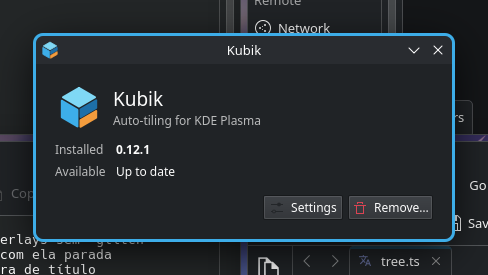
The Kubik manager window

Prefer the terminal?

chmod +x Kubik-*-x86_64.AppImage
./Kubik-*-x86_64.AppImage --install --yes     # --uninstall --yes to remove

Needs KDE Plasma 6 and glibc 2.41 or newer (Fedora 42+, Arch, Debian 13, Kubuntu 25.04+, openSUSE Tumbleweed).